
Find your next favourite meal.
Discover restaurants near you, browse their menus, and order for pickup or delivery — no app required.
Guest checkout · Pickup or delivery · Pay online or on delivery
Online in three simple steps
Proxifeast helps you put your restaurant online and receive orders directly.
Set Up Your Restaurant
Add your restaurant information, menu, categories, prices, images, and ordering preferences.
Share Your Storefront
Get your restaurant’s own ordering link and QR code. Share it on WhatsApp, Instagram, Facebook, Google — or print table QR codes for your physical restaurant.
Receive Orders
Customers browse your menu, checkout as guests, and place orders directly through your storefront.
Your restaurant. Your menu. Your orders.
Give customers one simple place to discover your menu, place an order, and get their food.
 SAMPLE STOREFRONT
 Chef Zhanga
● Open now · Pickup or delivery

Party Jollof Rice
₦3,500
AddAdd to Cart
Grilled Chicken
₦4,200
AddAdd to Cart
Chicken Shawarma
₦2,800
AddAdd to Cart
Chapman
₦1,500
AddAdd to Cart3 items · ₦10,500
Checkout- ✓
Your branding, your menu
Name, photos, categories, prices — it feels like your restaurant, not a marketplace.
- ✓
Cart and checkout per restaurant
Customers order directly from you — one cart, one checkout, one confirmation.
- ✓
Mobile-first and guest-friendly
No customer app or account needed. Scan, browse, order, done.
Turn every table into an ordering point.
Place QR codes on tables. Customers scan, browse your menu, and order — made for dine-in restaurants.
1. Scan
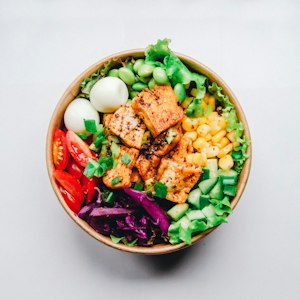
Guest scans the QR on Table 4
2. Browse menu
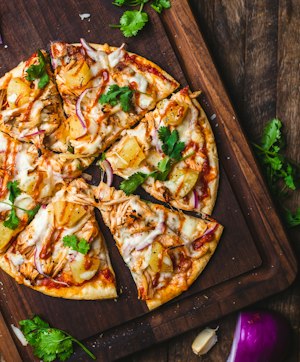
Your storefront opens on their phone
3. Order
Order lands in your dashboard
Ordering without friction
Everything a restaurant needs. Nothing it doesn’t.
No account required
Customers browse your menu and place an order without creating an account. Scan → Browse → Order → Done.
Pickup or delivery
Let customers choose how they receive their order, based on the options your restaurant supports. You control fulfillment.
Direct ordering
Orders come straight to your restaurant — your menu, your customers, your relationship.
QR ordering
One QR per table turns dine-in into self-service ordering that flows into your dashboard.
Mobile-first storefront
Designed for phones first — where your owners and customers actually are.
Easy menu management
Update dishes, prices, photos and availability in minutes from your dashboard.
Coming soon: cafés, hotels & bars. Today Proxifeast is focused on online ordering, menu and order management, QR ordering, pickup and restaurant-managed delivery, and guest checkout.
Ready to put your restaurant online?
Create your restaurant storefront, share your ordering link, and start receiving orders directly from your customers.